Take your AI/ML workloads from prototype to production-ready
CloudAgent documents the AI workloads you already run on Amazon Bedrock and SageMaker, checks them against production best practices, and prepares the fix for anything that is not ready.
Is our support-assistant workload ready for production? Prepare the fixes for anything that is not.
What CloudAgent knows
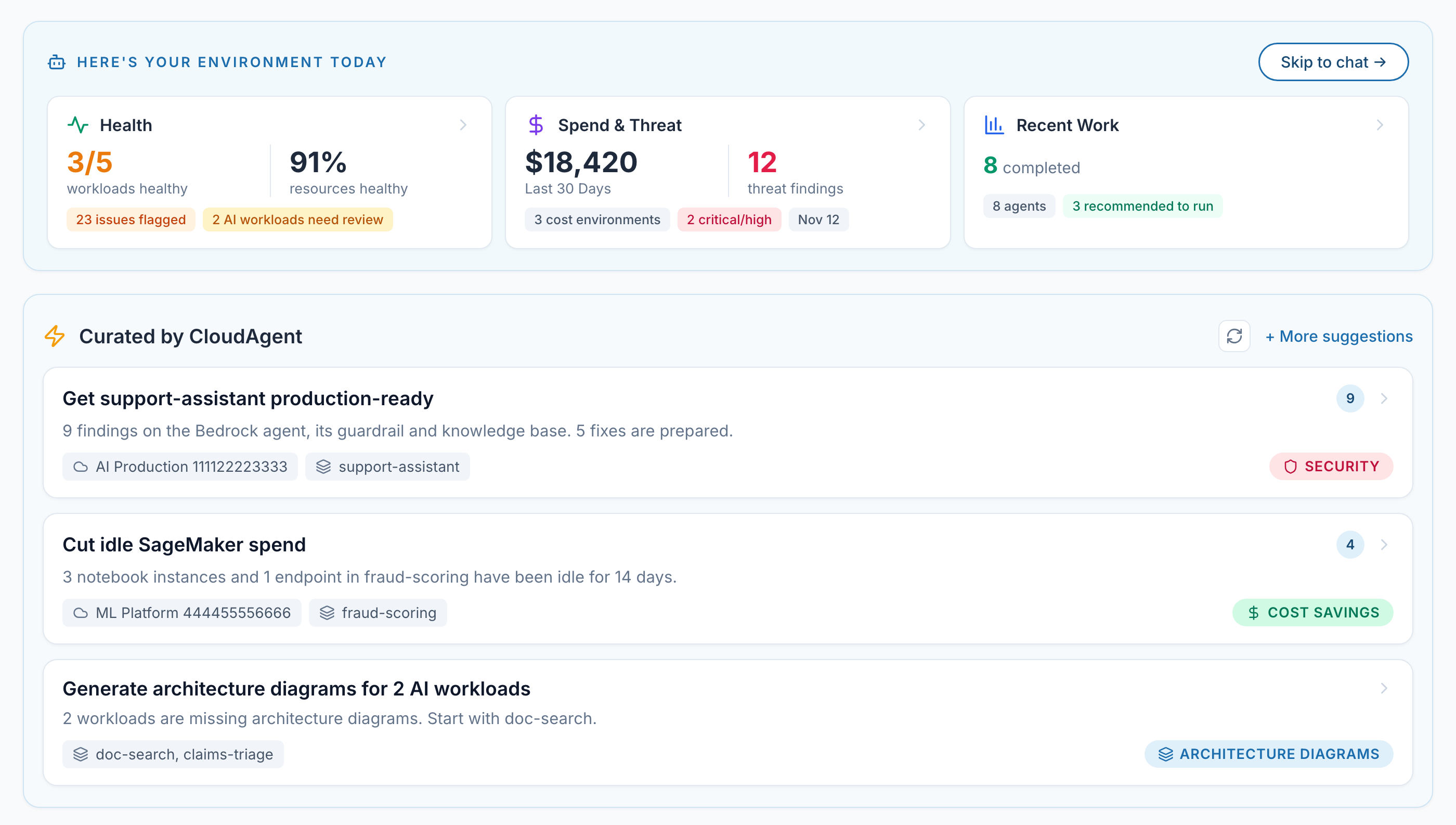
Your AI workloads and their health. Every model, knowledge base and endpoint, grouped into the application it belongs to.
What they cost and where the risk is. Spend and threat findings, tracked across your environments.
What to do next. Suggestions ranked for you, with the fixes prepared and ready to run.
How It Works
How CloudAgent gets your AI workloads production-ready
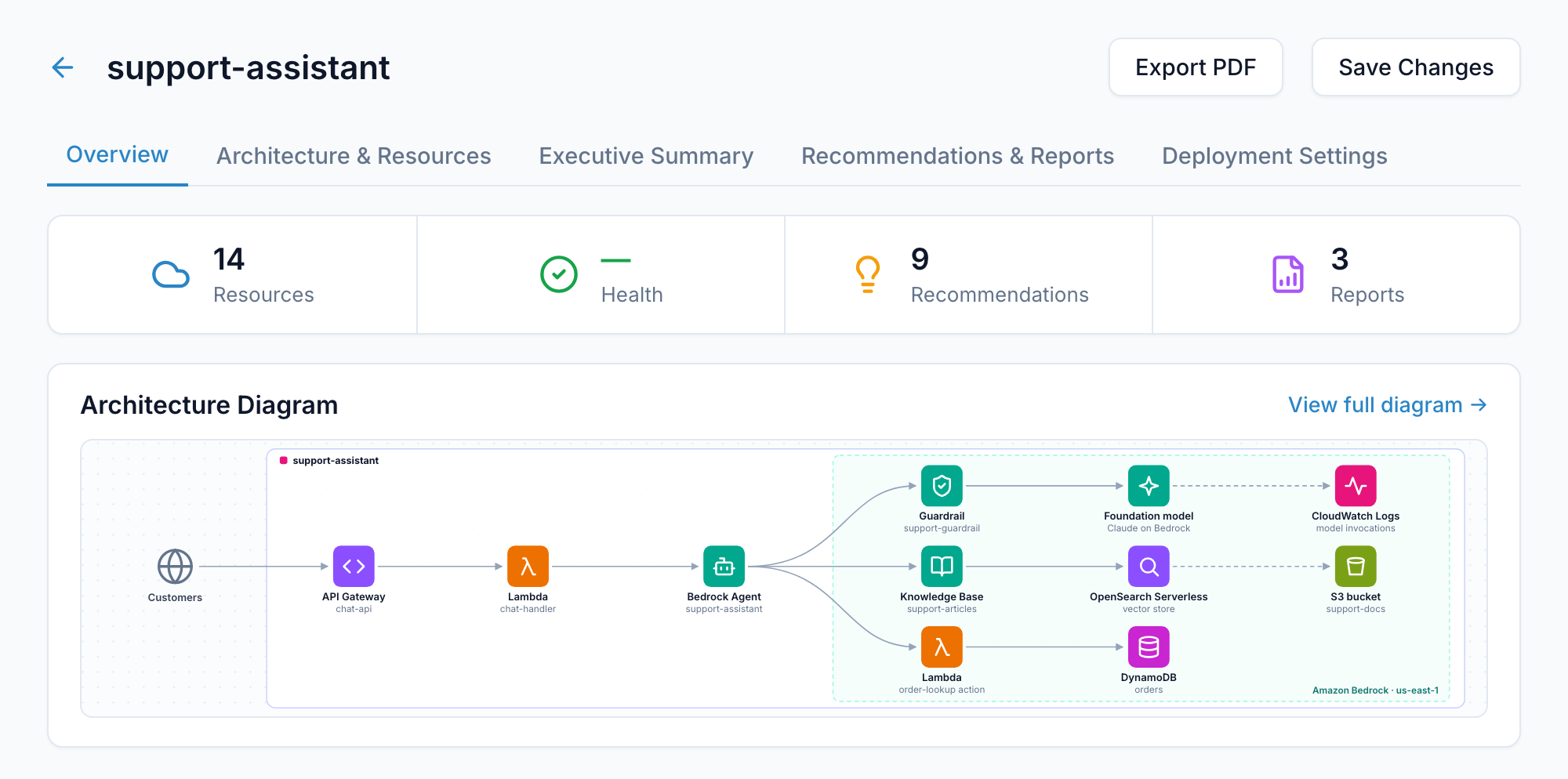
CloudAgent Documents Your AI Workloads
Choose the accounts and regions where your AI runs. CloudAgent scans them and groups the resources into the applications they belong to. You confirm the grouping in chat, and each workload gets an architecture diagram, an executive summary and a resource list.
CloudAgent Checks Production Readiness
Best-practice checks for the services your AI runs on: guardrails, network exposure, access, encryption and logging.
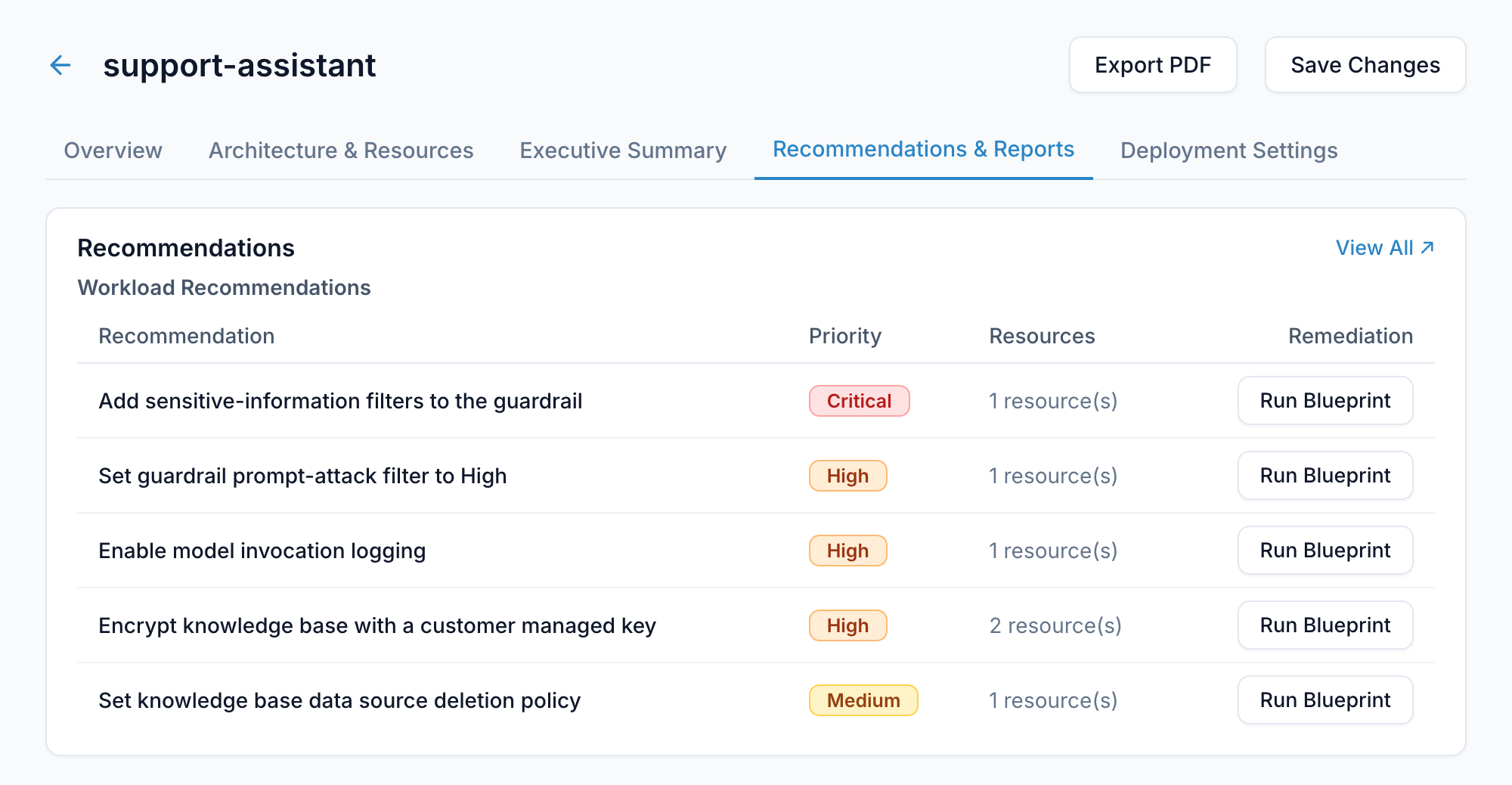
Findings and Fixes Land on the Workload
Every recommendation shows its priority, the resources involved and the remediation, on the workload it belongs to.
You Fix or Assign
You decide what happens to each finding.
Run a blueprint
Apply the fix when you choose to.
Send to Jira
Hand the prepared fix to the owning team.
Create an exception
Record an accepted risk.
CloudAgent Keeps Watching
New models and endpoints appear every week. A scheduled workflow re-runs the checks and emails you what changed.
What Gets Checked
Best-practice checks for the services your AI runs on
Generative AI on Amazon Bedrock
Agents, AgentCore, knowledge bases, guardrails, custom models
- Guardrails on every agent, with prompt-attack and sensitive-data filters set
- Agent runtimes and browser sessions kept private, inside your VPC
- Agent gateways that require authorization
- Agents, knowledge bases and custom models encrypted with your own keys
- Model invocations and knowledge base ingestion logged; sessions recorded
- Knowledge base data removed when its source is deleted
ML workloads on Amazon SageMaker
Notebooks, training jobs, models, endpoints
- Notebooks with no direct internet access and no root access
- Training jobs and models network-isolated, inside your VPC
- Notebooks, endpoints and training volumes encrypted
- Traffic between training containers encrypted
- Production endpoints with redundant instances
- Notebooks running on supported platforms
What You Get
Built for platform, security and ML engineering teams
Continuous Monitoring
New models and endpoints appear every week. A workflow re-runs the checks on your schedule and emails what changed.
See workflow automationStay Compliant
Run SOC 2, HIPAA, GDPR or ISO 27001 and filter the results to the same AI workload.
See compliance reviewKeep Costs in Check
Review SageMaker spend, find idle notebooks and endpoints, and check whether a Savings Plan fits.
See cost optimizationFrom Your Own Tools, Through MCP
Connect CloudAgent to Cursor, Claude, ChatGPT or any MCP-compatible tool and ask from where you build.
Is the workload I am about to ship production-ready?
You Stay in Control
- Read-only IAM roles by default
- Temporary credentials, nothing stored
- Write access granted per action
- Audit trail of every action
Getting Started
- Connect an AWS account with a read-only role
- Discover and confirm your workloads
- Run the readiness checks
Find out if your AI workloads are production-ready
Connect an AWS account, confirm your workloads and run the readiness checks.
Stay Updated
Receive the latest CloudAgent updates and AI workload best practices delivered to your inbox.
Join the Mailing List
Join the mailing list to get the latest updates and news about CloudAgent.